May 11, 2022 NHTSA CAMPAIGN NUMBER: 22V321000
Incorrect Starter Interlock Settings/FMVSS 102
A bus that is started in reverse or drive may result in unintended vehicle movement, and increase the risk of a crash or injury.
NHTSA Campaign Number: 22V321
Manufacturer Blue Bird Body Company
Components POWER TRAIN
Potential Number of Units Affected 53
Summary
Blue Bird Body Company (Blue Bird) is recalling certain 2023 Vision school buses equipped with an Allison transmission. The starter interlock settings in the vehicle software are incorrect, allowing the engine to crank while the T-handle gear shifter is in Reverse or Drive. As such, these vehicles fail to comply with the requirements of Federal Motor Vehicle Safety Standard number 102, “Transmission Shift Lever Sequence/Starter Interlock/Transmission Braking Effect.”
Remedy
Dealers will update the software, free of charge. Owner notification letters were mailed on June 30, 2022. Owners may contact Blue Bird’s customer service at 1-478-822-2242. Blue Bird’s number for this recall R22BW (SB).
Notes
Owners may also contact the National Highway Traffic Safety Administration Vehicle Safety Hotline at 1-888-327-4236 (TTY 1-800-424-9153), or go to www.nhtsa.gov.
R22BW: FMVSS 102 Noncompliance, BBCV Starter Interlock with Allison Transmission
Models Affected: Certain 2023 Model Year Blue Bird Vision Buses Built With New Electrical Architecture (NEA), Cummins Engine, Allison Transmission, Without Shifter Park Position
Issue: On identified buses the engine will start without the transmission shifter in the neutral position.
Corrective Action: The Blue Bird A Zone Multiplex Module must be re-flashed with software, available on the Blue Bird Vantage Unit Dashboard Website.
Multiplex Module (Blue Bird Part # 10059122) Shown Below, As Reference Only
Items Needed:
| Item Number | Quantity | Description |
| 1 | 1 | AmeFlash Tool Software (Available on Blue Bird Vantage, Ametek Software Website) |
| 2 | 1 | A Zone Multiplex Module Software (Available on Blue Bird Vantage, Unit Dashboard Website) |
| 3 | 1 | Laptop Computer (Windows Operating System) |
| 4 | 1 | RP1210 Communication Adapter Supported by the AmeFlash Tool Software (Dearborn DPA-5 USB Recommended) |
| 5 | 1 | Blue Bird Bench Program Harness #10074768. Optional: Only Required if Programming Multiplex Module on Workbench |
| 6 | 1 | 12V Regulated Power Supply. Optional: Only Required if Programming Multiplex Module on Workbench |
AmeFlash Tool Software and the A Zone Multiplex Module Software are both available on the Blue Bird Vantage Website (login required) See Page 2 and 3 for Vantage Website illustrations depicting software locations Click here to go to Vantage now: Blue Bird Vantage | Portal
WARNING: Always follow all Federal, State, Local, and Shop safety standards and use proper safety equipment. Thoroughly read and understand all instructions before performing these procedures. Park bus on level surface, apply parking brake, turn off ignition key, and chock wheels.
Instructions for Updating A Zone Multiplex Module Software On the Bus
Download and install the AmeFlash Tool Software on your laptop
On Vantage navigate to the Ametek–Software page, Click the “AmeFlash Tool Software” link shown below to download and install onto your laptop:
For instructions on how to install and use the AmeFlash Tool Software, Click the “Ametek Software Update Instructions” link shown below:
Download and save VEPS “SIMULINK Software file on your laptop to install in the A Zone Multiplex Module
On Vantage navigate to the Vantage–Unit Dashboard and enter the body number of the bus being repaired.
From Unit Dashboard of the bus being repaired, Click “Service” tab, “VEPS” tab, A-Zone “.ver” tab, and then “Download” tab. Download and save the VEPS “SIMULINK” software file to install in the A Zone Multiplex Module. (Example shown below):
Connecting RP1210 Communication Device Cables and Communicating With Ametek Devices Using AmeFlash Tool Software on your laptop
Connect Dearborn DPA-5 or supported RP1210 communication adapter to the laptop using the USB connection and then connect to the J1939 diagnostic port of the bus.
Based on engine model the J1939 diagnostic port will be located underneath the steering column (lower left or right) or underneath right-hand switch panel (far right side). With AmeFlash Tool software open, RP1210 communication device cables, or bench programming harnesses connected, turn the bus ignition key ON, (Or 12 Volt Power Supply) and then Click “Find Devices” button (lower left). You will see a “Search Progress” screen appear and then disappear, when finished. At the next screen you may note several Ametek devices listed, (devices listed are based on what devices are connected to the J1939 data link). To load a software file into any Ametek device you must first select that device by clicking the line with the proper source address “SA” and then you will notice more selections appear. For this recall repair you will select the source address “PMM SA: 0x21” (A-Zone Multiplex Module – located on Chassis; inside above transmission cover).
For “PMM” (Multiplex Module) “SIMULINK” or “VEPS” Software Loading:
a) To load the VEPS “SIMULINK” software into the A Zone “PMM”, go to the “SA: 0x21” and highlight that specific line item.
b) To the right, make sure the “APP” section does NOT have a file mapped, if it does close it by Clicking the “X” in the mapping window.
c) To the right, you will notice a “SIMULINK” section with the word “SELECT” to the far right of that line.
d) Click the “SELECT” button and it will let you select a location of the file you downloaded on the Vantage Unit Dashboard (A Zone Module “SIMULINK” files are Body Number Specific).
e) Once you have the “SIMULINK” file mapped, turn the ignition switch to the “on” position (engine not running) and Click the “FLASH” button to load the “SIMULINK” software. Wait until 100% complete.
f) Turn the ignition switch to the “off” position for approximately 10 seconds and close the Ametek AmeFlash Tool loader software.
Note:
When loading PMM “SIMULINK” files on the bus, it is recommended to first unplug the “E8” connector on all other PMM modules, except the PMM module being loaded. This is not requirement but can avoid software loading errors.
Example AmeFlash Tool A-Zone Multiplex Software “SIMULINK” Load Screen Shots:
Complete Functional Check to Verify Starter Engages “ONLY” When Transmission Shifter is in the Neutral Position:
Confirm Starter engages “ONLY” when the transmission shifter is in the “Neutral” position.
Contact your Blue Bird Field Service Representative, if you require assistance.
Instructions for Updating Multiplex Module Software On A Workbench
To update the A Zone Multiplex Module software version on a workbench, connect bench program harness #10074768 to Multiplex Module.
Connect black J1939 diagnostic port connector on bench program harness to a Dearborn DPA-5 or supported RP1210 communication adapter.
Then connect Dearborn DPA-5 or supported RP1210 communication adapter to the laptop using the USB connection.
Last connect bench program harness #10074768 to a 12V power supply. Turn 12V power supply on.
Note: All other instruction steps are the same, as listed above for updating the A Zone Multiplex Module software on the bus.
Example Workbench connections shown below:
Chronology :
On May 2, 2022, an issue was raised by the Blue Bird internal Production team about a BBCV unit with an Allison transmission that could be cranked while in a drive gear. The Blue Bird Engineering Team reviewed the affected unit and determined root cause to be incorrect starter interlock settings in the vehicle software. This issue was reviewed in Blue Bird’s Critical Issue Review Group (CIRG) and determined to not be in compliance with FMVSS 102, Transmission Shift Position Sequence, Starter Interlock, and Transmission Braking Effect. A Stop Ship was approved on May 9, 2022 to contain all units still remaining on Blue Bird’s property. There have been no reports from the field related to this issue.
1 Affected Product
Vehicle
| MAKE | MODEL | YEAR |
| BLUE BIRD | VISION | 2023 |
12 Associated Documents
Recall Acknowledgement
RCAK-22V321-7890.pdf 646.078KB
Noncompliance Notice 573 Report
RCLRPT-22V321-4145.PDF 215.681KB
Recall 573 Report- 05/17/2022
RCLRPT-22V321-3087.PDF 215.695KB
Manufacturer Notices(to Dealers,etc)
RCMN-22V321-2981.pdf 878.246KB
Remedy Instructions and TSB
RCRIT-22V321-9735.pdf 598.636KB
ISSUED Owner Notification Letter(Part 577)
RCONL-22V321-1919.pdf 831.044KB
Recall 573 Report- 09/12/2022
RCLRPT-22V321-1002.PDF 244.554KB
Recall Quarterly Report #1, 2022-2
RCLQRT-22V321-5713.PDF 239.337KB
Recall Quarterly Report #2, 2022-3
RCLQRT-22V321-9693.PDF 211.241KB
Recall Quarterly Report #3, 2022-4
RCLQRT-22V321-1595.PDF 211.326KB
ISSUED Renotification Notice
RCRN-22V321-7441.pdf 1926.329KB
Recall Quarterly Report #4, 2023-1
RCLQRT-22V321-4057.PDF 211.433KB
Latest Recalls Documents
Heavy Duty Truck Reprogramming
Description:
Designed for flexibility, the USB-Link 3 Wired Edition connects to your PC, tablet, or smartphone with a USB cable, allowing techs to directly connect to a device when working in the field or during signal interruptions.
Built to support the latest protocols (CAN FD, DoIP) and compatible with a wide range of OEM diagnostics software, the USB-Link 3 is our most advanced VCI to date, with the performance and technology you can rely on well into the future.
The USB-Link™ 3 comes with the following:
- Latching USB Cable (PN 404032)
- 9-Pin Deutsch Adapter, 1 Meter (PN 493128)
- J1962 Adapter (16-Pin OBD II, 1 Meter (PN 491113)
The USB-Link™ 3: Wireless is also available (PN 121052).
Specifications
Vehicle Network Protocol Support
CAN FD / J1939 FD / ISO15765 FD - 250K, 500K, 1M b/s with auto baud detection
Single wire CAN (SWCAN)
ISO 11898-3 Fault Tolerant CAN (FTCAN)
Diagnostics Over Internet Protocol (DoIP)
J1708
J1850 VPW (Class 2)
ISO PWM (SCP)
ISO 9141 / KWP2000 (ISO 14230) K/L line
ALDL 9600 and 8192 baud
ATEC 160 baud
Windows® Vehicle Communication API
Windows® Vehicle Communication API
RP1210 a/b/c
J2534 (2004 draft)
J2534-1 partial implementation (commercial vehicle focused)
Operating System Compatibility
iOS
Android™
Windows® 10, 11
Interfaces to Computing Platforms
USB 2.0 (vehicle-to-PC connectivity)
Bluetooth® 2.1 + EDR
Wi-Fi (dual band)
Compatible Software
Detroit Diesel Diagnostic Link
CAT Electronic Technician (On-Highway only)
Cummins Insite
International - ServiceMAXX Fleet Pro
Hino eXplorer
Volvo PTT
VCAD Elite Mack/Volvo
V-MAC Service Tools
Allison DOC® For PC-Service Tool - Protocols Supported: J1939, J1708/J1587, and J1850
Allison DOC® For Fleets (1000/2000) - Protocols Supported: J1939, J1850
Allison DOC® For Fleets (3000/4000) - Protocols Supported: J1939, J1708/J1587
Eaton ServiceRanger
Bendix ACom
WABCO Toolbox
Freightliner ServiceLink
International ABS
International DLB
International Intune
International IPC v2.02
PACCAR DAVIE4
Daimler Truck
DiagnosticLink Order Site:
DiagnosticLink Direct Link:
https://diagnosticlink.nexiq.com/DTNA/Default.aspx

- 🔥🔥🔥2026 New Functions Making X7HD the Top Dog - Big Surprise!!! ANCEL X7HD truck scanner 10 major functional advantages .✅>Full HDOBD/OBD2 Function ✅>ALL System Diagnostic ✅>42+ Reset Function ✅>Active Test / Bi-Directional Control✅>ECU Coding✅>Graphing Live Data✅>Wide Compatibility ✅>2 Yrs Free Update✅>Remote Operation✅>Bluetooth 5.0 & Wifi In addition, 8 major hardware advantages: ✅>6000 mAh✅>10.1 inch Tablet✅>2G RAM✅>32G ROM (Expandable to 128GB)✅>Data Record & Replay & Print✅>Android 10.0✅>Bluetooth 5.0 & Wifi✅>14 Languages
- 🚛OEM DPF Forced Regen & Cylinder Cutout Test & more - ANCEL X7HD diesel scanner diagnostic tool not only supports DPF regeneration, DPF reset, DPF related information reset, DPR state reset, DPD forced regeneration etc, which helps you better solve the exhaust aftertreatment system problems, but also supports activate motor to do exhaust air in ABS Automatically. Moreover, it features TPMS activation, cylinder cut-off and learning functions
- 🚛Advanced ECU Coding & Programming - ANCEL X7HD 10.1inch truck scanner diagnostic tool is equipped with advanced ECU coding, supports Level calibration, Idle speed learning and Adjustment, Camshaft timing control learning, Control unit adaptations, Injector Codes, Read/Write VIN, Road speed limit optional vehicle speed set, etc... PLEASE NOTE that ECU codes are not compatible with all vehicles, please send us your VIN# to check vehicle compatibility
- 🚛42+ Reset Functions & Bidirectional Control - 2026 newest top heavy duty truck scan tool, comes with 42+ special services (ECU, Speed Limit and Idle Reset, Oil Reset, Injector Coding, EPB, ABS, SRS, Suspension, Throttle, etc. and always keep growing), which meet all your various needs for service and maintenance
- 🚛10 Inch All Systems Diesel Scanner & Full HDOBD/OBD2 Modes - ANCEL X7HD diesel truck scan tool supports all systems scan, such as Engine, Brake, Retarder, TECU Transmission, Tachograph, ABS, SRS, TPMS, EPB, SAS, ESP, and other vehicle systems, comes with 10 obd2 service modes: read/erase error codes, Data Stream, I/M Readiness, Vehicle Information, Actuations, DTC Lookup, EVAP, view freeze frame, etc

- Dealer-Level Diagnostics, Faster & Easier: The heavy duty truck scanner delivers full-system diagnostics for engine, ABS, transmission, and more, plus 7+ reset functions like DPF Regen and Speed Limit Adjust. Powered by a 1.3G CPU, 2GB RAM, 16GB storage, Android 8.1, and a 3000mAh battery, it runs smoothly for fast scanning, live data, reports, Auto VIN, Wi-Fi updates, and easy handheld use. It captures screenshots, replays live data, and generates reports to support your repair decisions.
- Diesel Truck DPF Regen & Reset Features: Experiencing loss of power, sluggish acceleration, or poor hill-climbing performance? These symptoms are often caused by a clogged or overloaded DPF. The truck diagnostic scanner offers OEM-level forced DPF regeneration, DPF reset, and DPD/DPR functions. This device extends DPF lifespan and efficiently diagnoses exhaust aftertreatment issues. It can significantly reduce diagnostic time and save you up to $3,000 or more in costly dealership fees.
- 7+ Resets - Perform Essential Procedures: The truck scanner features 7+ essential resets including DPF Regen clears carbon buildup; Oil Reset clears service light; Injector Coding matches new injectors; DEF Test checks urea injection; Speed Limit Adjust saves fuel; Cylinder Cutout pinpoints misfires; Clutch Relearn restores smooth engagement. Reset after maintenance or part replacement for proper truck operation. Vehicle compatibility varies. Email [email protected] to confirm before buying.
- One Tool for 50+ Truck Brands: The diesel scanner supports J1939, J1708, J1587, and OBD2/CAN protocols, delivering broad coverage for major diesel trucks and commercial vehicles including Cummins, Cat, Detroit, Paccar, Volvo, Freightliner, Kenworth, Peterbilt, International, Mack, Isuzu, Hino, Scania, Mercedes-Benz, and more. Also supports Allison, Aisin, Eaton, WABCO, and Bendix, helping you diagnose more vehicles, reduce equipment costs, and handle more jobs with one professional scan tool.
- Full System Diagnostic for Truck: The truck scanner diagnostic tool covers all systems like engine, ABS, transmission, SAS, SRS, TPMS and more. It reads fault codes and shows real-time data. Additionally, it includes full HD OBD and OBD2 modes: read/clear codes, live data stream, I/M readiness, freeze frame, DTC lookup, and more. When warning lights appear or performance issues arise, quickly identify which system is affected and gain the real-time data needed for accurate diagnosis.

- Diagnose Heavy-Duty Truck Problems Fast — Read and clear fault codes and diagnose warning light issues on many Class 4–8 diesel trucks including Freightliner, Peterbilt, Kenworth, Volvo, Mack and Cummins-powered vehicles
- Help Reduce Downtime & Repair Costs — It offers full system diagnostics for major trucks meeting standard protocols, along with complete OBD2 functionality. Quickly check engine faults, view live truck data and identify issues before expensive repair shop visits or unnecessary repairs
- No complicated setup required — Simple menus and built-in DTC explanations make this truck code reader easy to use for owner-operators, mobile mechanics and small fleet maintenance
- Live Data & Built-in DTC Lookup — View real-time engine data and built-in truck fault code definitions directly on the scanner to help understand vehicle problems faster without searching through manuals
- Free Lifetime Updates & Technical Support — Includes free software updates plus responsive technical support for setup, compatibility and everyday truck diagnostics

- 【Built for Heavy Duty Diesel Diagnostics】Designed for SAE J1939 and J1708 compliant trucks, buses, and diesel-powered commercial vehicles. HD601 truck scanner diagnostic tool helps owner-operators, small fleets, mobile technicians, and independent repair shops quickly identify fault codes, view live data, and make informed repair decisions—saving time, reducing downtime, and avoiding unnecessary shop visits
- 【Full System Diagnostics+All HD OBD Modes】The New HD601 heavy duty truck scanner delivers full-system diagnostics on SAE J1939 and J1708-compliant commercial vehicles—digging into engine, transmission, ABS, fuel, every system that keeps your rig rolling. It supports all HD OBD modes, giving you live data, freeze frame, ECU info, vehicle info, emissions data tracking, plus code reading and clearing. Not just what broke, but why—so you fix it right the first time. Pinpoint issues faster, cut repair costs, and spend less time on the shoulder
- 【Wide Heavy-Duty Vehicle Coverage】Supports a wide range of heavy-duty vehicle manufacturers and systems, including Freightliner, Kenworth, Peterbilt, Volvo, International, Detroit, Cummins, Paccar, Allison, Eaton, Bendix, Wabco, and more. Coverage varies by vehicle make, model, year, and system configuration. Contact our support team before purchase if compatibility verification is needed
- 【Speaks Major Truck Protocol】The New HD601 diesel truck scanner is built for American-made trucks—and supports the heavy‑duty protocols you' re most likely to run into on the road: SAE J1939, J1708/J1587, ISO 15765‑4, ISO 14230‑4, ISO 9141‑2, J1850 PWM/VPW, ISO 27145‑4, and EURO‑6. For most trucks, model years, and systems, it speaks the language your vehicle understands. Just plug it in and start diagnosing—no guesswork, no gatekeeping. Note: vehicle functions and module availability may vary by manufacturer and model year
- 【Save Hundreds on Diagnostic Fees】Why pay $150–300 for someone to read your codes? With the New ANCEL heavy duty truck scanner, you can pull fault codes yourself—in minutes, without leaving the truck. One or two uses pays for the tool. After that, every diagnostic is money back in your pocket. Smart investment for owner-operators, techs, and small fleets. Read and clear stored fault codes in minutes. Active fault codes may require repairs before they can be cleared

- 2026 LAUNCH 1st Advanced Scan Tool Compatible With 12V&24V Vehicles:Design for Passenger&Commercial Vehicles 2 in1,work for Cars/Trucks/buses/trailers/excavators/diesel engine/pick-up/etc.
- J2534 Protocols with Smartlink C:Advanced OEM J2534 code ,Helps access direct data online, replace existing software/firmware in ECU,code new ECUs and fix software-controlled issue.
- Over 60 Service Reset Functions + Bi-Directional + ECU Code:This scan tool can support ECU Code,60+ reset service functions like SAS/EPB/TPMS/DPF/Oil/Brake/ABS Bleed, Injector coding, etc.
- Advanced Hardware & All Systems Diagnosis+Topology Display:Support All systems Diagnostic including ENG, AT, ECM, TCM, ABS, SRS, BCM, BMS, TPMS, SAS, Fuel System, Light System and more.
- Wider Vehicle Coverage of 12V & 24V Vehicles + 24 Languages: LAUNCH X431 PRO3S+SMARTLINK HD automotive scanner is ALL-IN-ONE Scan Tool for 12V cars and 24V Heavy-duty trucks support CANFD & DOIP.

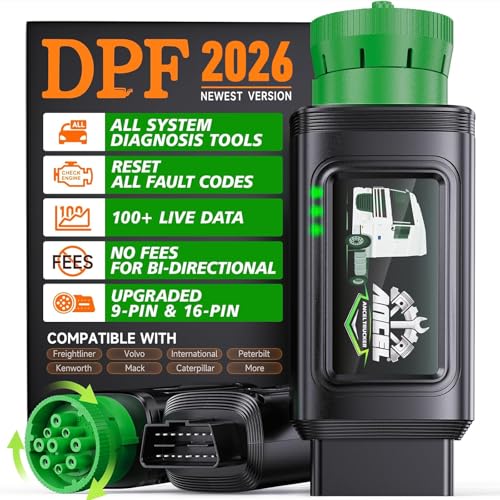
- 【WIRELESS DIESEL DIAGNOSTICS FROM YOUR PHONE】Turn your smartphone into a portable heavy-duty truck scanner in seconds. The ANCEL HD100 lets you read and clear fault codes, monitor live data, check engine health, and perform diesel diagnostics directly through the ANCEL Trucker App. Simply plug into the 9-pin or 16-pin port, pair via Bluetooth, and diagnose your truck from the cab, roadside, fleet yard, or repair shop—without carrying bulky diagnostic equipment
- 【RUN DPF REGEN WITHOUT DEALER STOPS】Handle common DPF issues before they turn into costly downtime. The HD100 supports DPF regeneration, DPF reset, and soot-related diagnostics on compatible Cummins and Caterpillar engines. Follow guided app instructions directly from your phone to start the procedure, monitor regeneration status in real time, and help reduce unnecessary service visits. NOTE: Not compatible with pickup trucks
- 【COMPACT BLUETOOTH TRUCK SCANNER FOR DAILY USE】Designed for drivers who want fast diesel diagnostics without bulky equipment or extra cables. The pocket-size HD100 quickly connects to iPhone and Android devices, allowing you to check warning lights, engine faults, ABS status, transmission systems, and other supported modules. Keep it in your cab or toolbox for quick roadside diagnostics, preventive maintenance, and everyday truck health checks
- 【FULL-SYSTEM DIAGNOSTICS FOR MAJOR DIESEL TRUCKS】Access engine, ABS, transmission, and other supported systems on Freightliner, Kenworth, Peterbilt, Volvo, Mack, International, and more. Read and clear fault codes, view live data, and monitor real-time system information across major diesel engines and components, including Cummins, Caterpillar, Detroit, Allison, Bendix, Eaton, and Wabco. Supports SAE J1939 and J1708 protocols
- 【NO SUBSCRIPTION FEES & LIFETIME FREE UPDATES】The ANCEL Trucker App provides fast Bluetooth pairing, DTC Lookup, live data viewing, and diagnostic reporting with no subscription fees, activation charges, or recurring costs. Rugged lock-ring connectors help maintain stable communication on vibration-prone diesel trucks, while lifetime free updates continue improving compatibility, functionality, and long-term value for owner-operators, drivers, and fleet maintenance teams
Last update on 2026-05-23 / Affiliate links / Images from Amazon Product Advertising API
SEOCONTENT-START
BLUE BIRD BODY COMPANY 3920 Arkwright Road, Suite 200, Macon, GA 31210 – (478) 825-2021 R22BW FINAL NOTICE DATE: January 6, 2023 TO: Blue Bird Owners Subject: R22BW: FMVSS 102 Noncompliance – BBCV Starter Interlock with Allison Transmission According to our records, we have not received confirmation that the above referenced recall, dated June 30, 2022, has been completed. A copy of Recall R22BW is attached. Your buses affected by Recall R22BW are identified by Blue Bird body number and VIN under Section 2 on the enclosed cover sheet. If this is the first time you received notification of Recall R22BW, please read the enclosed notification carefully. Recall R22BW must be completed, as soon as possible. Corrective Action: To correct this noncompliance, Blue Bird will provide repair instructions. An updated vehicle software version has been created which will require the T-handle gear shifter physically be in the Neutral Position before the starter can be energized. All affected vehicles will need to have the A Zone multiplex reflashed with the updated S19 file. Blue Bird will reimburse the labor cost of the repair related to this recall at no cost to the vehicle owner. Please contact your local Blue Bird dealer to arrange to have the Recall performed. To locate an authorized dealer, search online at www.blue-bird.com/find-a-dealer . The safety risk is if the clutch were to allow the automatic transmission to engage, the vehicle could move forward or backward unexpectedly while attempting to start the unit, thus increasing the risk of injury to those in close proximity to the exterior front or rear of the bus. The warning that may precede is if the unit has the incorrect software version, and is started while in gear, there will be a “range inhibit” message displayed on the instrument cluster. Buses with this non-compliance must be corrected immediately. A software update is currently available. The expected out of service time necessary to accomplish the software update is .5 hours (30 minutes). Blue Bird Dealers will perform a software update to rectify the issue at no cost to the owner. Parts are not required. Labor Reimbursement: Blue Bird will reimburse the labor cost of potential repairs relating to this recall at no cost to you the vehicle owner. The Standard Repair Time (SRT) to accomplish this repair is outlined below: R22BW: Repair o 0.5 hours (30 minutes) Thank you for your prompt attention to this matter. BLUE BIRD BODY COMPANY 3920 Arkwright Road, Suite 200, Macon, GA 31210 – (478) 825-2021 R22BW IMPORTANT SAFETY RECALL NHTSA Campaign Number: 22V-321 (School Bus) NHTSA Campaign Number: 22V-330 (Non-School Bus) DATE: June 30, 2022 SUBJECT: R22BW: FMVSS 102 Noncompliance – BBCV Starter Interlock with Allison Transmission Dear Blue Bird Owner: This notice is sent to you in accordance with the requirements of the National Traffic and Motor Vehicle Safety Act. Blue Bird Body Company has decided that certain 2023 Vision School and Non-School Buses fail to conform to Federal Motor Vehicle Safety Standard Number 102, “Transmission Shift Lever Sequence/Starter Interlock/Transmission Braking Effect.” This notice applies to your bus(es) identified by both Blue Bird Body Number and Vehicle Identification Number (VIN) on the enclosed yellow cover sheet. If you no longer own the subject bus(es), please complete the appropriate section of the yellow cover sheet and return to Blue Bird in the enclosed pink postage prepaid envelope. Blue Bird Body Company is voluntarily recalling the following: Certain model year 2023 Blue Bird Vision School Buses o manufactured from April 12, 2022 through May 3, 2022 Certain model year 2023 Blue Bird Vision Non-School Buses o manufactured on May 7, 2022 The Allison transmission may have incorrect starter interlock settings in the vehicle software. Affected buses will allow the engine to crank while the T-handle gear shifter is in Reverse or Drive. When the vehicle is cranked while the T-handle shifter is in a drive gear, a ‘Range Inhibit’ error is displayed in the vehicle cluster. While the ‘Range Inhibit’ error is active, the transmission will not engage the clutch, which will prevent the vehicle from lurching forward or rearward. This issue was created when the vehicle software was changed on March 23, 2022, to accommodate vehicles with a park pawl feature. Corrective Action: To correct this noncompliance, Blue Bird will provide repair instructions. An updated vehicle software version has been created which will require the T-handle gear shifter physically be in the Neutral Position before the starter can be energized. All affected vehicles will need to have the A Zone multiplex reflashed with the updated S19 file. Blue Bird will reimburse the labor cost of the repair related to this recall at no cost to the vehicle owner. Please contact your local Blue Bird dealer to arrange to have the Recall performed. To locate an authorized dealer, search online at www.blue-bird.com/find-a-dealer . The safety risk is if the clutch were to allow the automatic transmission to engage, the vehicle could move forward or backward unexpectedly while attempting to start the unit, thus increasing the risk of injury to those in close proximity to the exterior front or rear of the bus. The warning that may precede is if the unit has the incorrect software version, and is started while in gear, there will be a “range inhibit” BLUE BIRD BODY COMPANY 3920 Arkwright Road, Suite 200, Macon, GA 31210 – (478) 825-2021 Blue Bird Body Company R22BW Page 2 Corrective Action: (continued) message displayed on the instrument cluster. Buses with this non-compliance must be corrected immediately. A software update is currently available. The expected out of service time necessary to accomplish the software update is .5 hours (30 minutes). Blue Bird Dealers will perform a software update to rectify the issue at no cost to the owner. Parts are not required. Labor Reimbursement: Blue Bird will reimburse the labor cost of potential repairs relating to this recall at no cost to you the vehicle owner. The Standard Repair Time (SRT) to accomplish this repair is outlined below: R22BW: Repair o 0.5 hours (30 minutes) Administering the Recall: Parts are not required to complete Recall R22BW. Blue Bird recommends that you contact your local or nearest Blue Bird Dealer to arrange for this recall to be performed. The Dealer can perform the repairs, or arrange for repairs to be performed by a service repair facility authorized by the Dealer. However, you may elect to perform this recall yourself or pay another independent repair facility to perform this recall. A qualified technician should perform this recall. If you elect to perform this recall yourself or pay another independent repair facility to perform this recall, complete and submit the Pink Owner’s Recall Reply Sheet provided. The Recall Reply Sheet includes a section for the owner to request reimbursement of the owner’s labor or to request reimbursement for a labor invoice paid by the owner to an independent repair facility. Federal law requires that any vehicle lessor receiving this recall notice must forward a copy of this notice to the lessee within ten days. If the modifications directed by this notification were performed on your bus prior to the receipt of this recall notification, attach a copy of the work order/invoice. Mail the documents in the pink self-addressed postage prepaid envelope included with the pink reply sheet to Blue Bird for warranty consideration. Reimbursements will be made in accordance with the requirements of the National Highway Transportation Safety Act, Title 49 Code of Federal Regulations, Parts 573 and 577. Please contact your local Blue Bird Dealer with any questions regarding this recall campaign. If Blue Bird Body Company should fail to or is unable to remedy this condition without charge to you, you may contact: ADMINISTRATOR NATIONAL HIGHWAY TRAFFIC SAFETY ADMINISTRATION 1200 NEW JERSEY AVENUE, SE WASHINGTON, D.C. 20590 Or, you may call The National Highway Traffic Safety Administration toll free at: 1-888-327-4236 TTY 1-800-424-9153 or go to: http:/www.safercar.gov 1 R22BW: FMVSS RECALL 102 Noncompliance, BBCV Starter Interlock with Allison Transmission Models Affected: Certain 2023 Model Year Blue Bird Vision Buses Built With New Electrical Architecture (NEA), Cummins Engine, Allison Transmission, Without Shifter Park Position Issue: On identified buses the engine will start without the transmission shifter in the neutral position. Corrective Action: The Blue Bird A Zone Multiplex Module must be re-flashed with software, available on the Blue Bird Vantage Unit Dashboard Website. Multiplex Module (Blue Bird Part # 10059122) Shown Below, As Reference Only Items Needed: AmeFlash Tool Software and the A Zone Multiplex Module Software are both available on the Blue Bird Vantage Website (login required) See Page 2 and 3 for Vantage Website illustrations depicting software locations Click here to go to Vantage now: Blue Bird Vantage | Portal WARNING: Always follow all Federal, State, Local, and Shop safety standards and use proper safety equipment. Thoroughly read and understand all instructions before performing these procedures. Park bus on level surface, apply parking brake, turn off ignition key, and chock wheels. Item Number Quantity Description 1 1 AmeFlash Tool Software (Available on Blue Bird Vantage, Ametek Software Website) 2 1 A Zone Multiplex Module Software (Available on Blue Bird Vantage, Unit Dashboard Website) 3 1 Laptop Computer (Windows Operating System) 4 1 RP1210 Communication Adapter Supported by the AmeFlash Tool Software (Dearborn DPA-5 USB Recommended) 5 1 Blue Bird Bench Program Harness #10074768. Optional: Only Required if Programming Multiplex Module on Workbench 6 1 12V Regulated Power Supply. Optional: Only Required if Programming Multiplex Module on Workbench 2 R22BW: FMVSS RECALL 102 Noncompliance, BBCV Starter Interlock with Allison Transmission Instructions for Updating A Zone Multiplex Module Software On the Bus Download and install the AmeFlash Tool Software on your laptop On Vantage navigate to the Ametek-Software page, Click the “AmeFlash Tool Software” link shown below to download and install onto your laptop: For instructions on how to install and use the AmeFlash Tool Software, Click the “Ametek Software Update Instructions” link shown below: 3 R22BW: FMVSS RECALL 102 Noncompliance, BBCV Starter Interlock with Allison Transmission Download and save VEPS “SIMULINK Software file on your laptop to install in the A Zone Multiplex Module On Vantage navigate to the Vantage-Unit Dashboard and enter the body number of the bus being repaired. From Unit Dashboard of the bus being repaired, Click “Service” tab, “VEPS” tab, A-Zone “.ver” tab, and then “Download” tab. Download and save the VEPS “SIMULINK” software file to install in the A Zone Multiplex Module. (Example shown below): 4 RECALL R22BW: FMVSS 102 Noncompliance, BBCV Starter Interlock with Allison Transmission Connecting RP1210 Communication Device Cables and Communicating With Ametek Devices Using AmeFlash Tool Software on your laptop Connect Dearborn DPA-5 or supported RP1210 communication adapter to the laptop using the USB connection and then connect to the J1939 diagnostic port of the bus. Based on engine model the J1939 diagnostic port will be located underneath the steering column (lower left or right) or underneath right-hand switch panel (far right side). With AmeFlash Tool software open, RP1210 communication device cables, or bench programming harnesses connected, turn the bus ignition key ON, (Or 12 Volt Power Supply) and then Click “Find Devices” button (lower left). You will see a “Search Progress” screen appear and then disappear, when finished. At the next screen you may note several Ametek devices listed, (devices listed are based on what devices are connected to the J1939 data link). To load a software file into any Ametek device you must first select that device by clicking the line with the proper source address “SA” and then you will notice more selections appear. For this recall repair you will select the source address “PMM SA: 0x21” (A-Zone Multiplex Module – located on Chassis; inside above transmission cover). 5 R22BW: FMVSS RECALL 102 Noncompliance, BBCV Starter Interlock with Allison Transmission For “PMM” (Multiplex Module) “SIMULINK” or “VEPS” Software Loading: a) To load the VEPS “SIMULINK” software into the A Zone “PMM”, go to the “SA: 0x21” and highlight that specific line item. b) To the right, make sure the “APP” section does NOT have a file mapped, if it does close it by Clicking the “X” in the mapping window. c) To the right, you will notice a “SIMULINK” section with the word “SELECT” to the far right of that line. d) Click the “SELECT” button and it will let you select a location of the file you downloaded on the Vantage Unit Dashboard (A Zone Module “SIMULINK” files are Body Number Specific). e) Once you have the “SIMULINK” file mapped, turn the ignition switch to the “on” position (engine not running) and Click the “FLASH” button to load the “SIMULINK” software. Wait until 100% complete. f) Turn the ignition switch to the “off” position for approximately 10 seconds and close the Ametek AmeFlash Tool loader software. Note: When loading PMM “SIMULINK” files on the bus, it is recommended to first unplug the “E8” connector on all other PMM modules, except the PMM module being loaded. This is not requirement but can avoid software loading errors. Example AmeFlash Tool A-Zone Multiplex Software “SIMULINK” Load Screen Shots: 11 22 33 6 R22BW: FMVSS RECALL 102 Noncompliance, BBCV Starter Interlock with Allison Transmission Complete Functional Check to Verify Starter Engages “ONLY” When Transmission Shifter is in the Neutral Position: Confirm Starter engages “ONLY” when the transmission shifter is in the “Neutral” position. Contact your Blue Bird Field Service Representative, if you require assistance. Instructions for Updating Multiplex Module Software On A Workbench To update the A Zone Multiplex Module software version on a workbench, connect bench program harness #10074768 to Multiplex Module. Connect black J1939 diagnostic port connector on bench program harness to a Dearborn DPA-5 or supported RP1210 communication adapter. Then connect Dearborn DPA-5 or supported RP1210 communication adapter to the laptop using the USB connection. Last connect bench program harness #10074768 to a 12V power supply. Turn 12V power supply on. Note: All other instruction steps are the same, as listed above for updating the A Zone Multiplex Module software on the bus. Example Workbench connections shown below:
**************************************************************************************************************
1 R22BW: FMVSS RECALL 102 Noncompliance, BBCV Starter Interlock with Allison Transmission Models Affected: Certain 2023 Model Year Blue Bird Vision Buses Built With New Electrical Architecture (NEA), Cummins Engine, Allison Transmission, Without Shifter Park Position Issue: On identified buses the engine will start without the transmission shifter in the neutral position. Corrective Action: The Blue Bird A Zone Multiplex Module must be re-flashed with software, available on the Blue Bird Vantage Unit Dashboard Website. Multiplex Module (Blue Bird Part # 10059122) Shown Below, As Reference Only Items Needed: AmeFlash Tool Software and the A Zone Multiplex Module Software are both available on the Blue Bird Vantage Website (login required) See Page 2 and 3 for Vantage Website illustrations depicting software locations Click here to go to Vantage now: Blue Bird Vantage | Portal WARNING: Always follow all Federal, State, Local, and Shop safety standards and use proper safety equipment. Thoroughly read and understand all instructions before performing these procedures. Park bus on level surface, apply parking brake, turn off ignition key, and chock wheels. Item Number Quantity Description 1 1 AmeFlash Tool Software (Available on Blue Bird Vantage, Ametek Software Website) 2 1 A Zone Multiplex Module Software (Available on Blue Bird Vantage, Unit Dashboard Website) 3 1 Laptop Computer (Windows Operating System) 4 1 RP1210 Communication Adapter Supported by the AmeFlash Tool Software (Dearborn DPA-5 USB Recommended) 5 1 Blue Bird Bench Program Harness #10074768. Optional: Only Required if Programming Multiplex Module on Workbench 6 1 12V Regulated Power Supply. Optional: Only Required if Programming Multiplex Module on Workbench 2 R22BW: FMVSS RECALL 102 Noncompliance, BBCV Starter Interlock with Allison Transmission Instructions for Updating A Zone Multiplex Module Software On the Bus Download and install the AmeFlash Tool Software on your laptop On Vantage navigate to the Ametek-Software page, Click the “AmeFlash Tool Software” link shown below to download and install onto your laptop: For instructions on how to install and use the AmeFlash Tool Software, Click the “Ametek Software Update Instructions” link shown below: 3 R22BW: FMVSS RECALL 102 Noncompliance, BBCV Starter Interlock with Allison Transmission Download and save VEPS “SIMULINK Software file on your laptop to install in the A Zone Multiplex Module On Vantage navigate to the Vantage-Unit Dashboard and enter the body number of the bus being repaired. From Unit Dashboard of the bus being repaired, Click “Service” tab, “VEPS” tab, A-Zone “.ver” tab, and then “Download” tab. Download and save the VEPS “SIMULINK” software file to install in the A Zone Multiplex Module. (Example shown below): 4 RECALL R22BW: FMVSS 102 Noncompliance, BBCV Starter Interlock with Allison Transmission Connecting RP1210 Communication Device Cables and Communicating With Ametek Devices Using AmeFlash Tool Software on your laptop Connect Dearborn DPA-5 or supported RP1210 communication adapter to the laptop using the USB connection and then connect to the J1939 diagnostic port of the bus. Based on engine model the J1939 diagnostic port will be located underneath the steering column (lower left or right) or underneath right-hand switch panel (far right side). With AmeFlash Tool software open, RP1210 communication device cables, or bench programming harnesses connected, turn the bus ignition key ON, (Or 12 Volt Power Supply) and then Click “Find Devices” button (lower left). You will see a “Search Progress” screen appear and then disappear, when finished. At the next screen you may note several Ametek devices listed, (devices listed are based on what devices are connected to the J1939 data link). To load a software file into any Ametek device you must first select that device by clicking the line with the proper source address “SA” and then you will notice more selections appear. For this recall repair you will select the source address “PMM SA: 0x21” (A-Zone Multiplex Module – located on Chassis; inside above transmission cover). 5 R22BW: FMVSS RECALL 102 Noncompliance, BBCV Starter Interlock with Allison Transmission For “PMM” (Multiplex Module) “SIMULINK” or “VEPS” Software Loading: a) To load the VEPS “SIMULINK” software into the A Zone “PMM”, go to the “SA: 0x21” and highlight that specific line item. b) To the right, make sure the “APP” section does NOT have a file mapped, if it does close it by Clicking the “X” in the mapping window. c) To the right, you will notice a “SIMULINK” section with the word “SELECT” to the far right of that line. d) Click the “SELECT” button and it will let you select a location of the file you downloaded on the Vantage Unit Dashboard (A Zone Module “SIMULINK” files are Body Number Specific). e) Once you have the “SIMULINK” file mapped, turn the ignition switch to the “on” position (engine not running) and Click the “FLASH” button to load the “SIMULINK” software. Wait until 100% complete. f) Turn the ignition switch to the “off” position for approximately 10 seconds and close the Ametek AmeFlash Tool loader software. Note: When loading PMM “SIMULINK” files on the bus, it is recommended to first unplug the “E8” connector on all other PMM modules, except the PMM module being loaded. This is not requirement but can avoid software loading errors. Example AmeFlash Tool A-Zone Multiplex Software “SIMULINK” Load Screen Shots: 11 22 33 6 R22BW: FMVSS RECALL 102 Noncompliance, BBCV Starter Interlock with Allison Transmission Complete Functional Check to Verify Starter Engages “ONLY” When Transmission Shifter is in the Neutral Position: Confirm Starter engages “ONLY” when the transmission shifter is in the “Neutral” position. Contact your Blue Bird Field Service Representative, if you require assistance. Instructions for Updating Multiplex Module Software On A Workbench To update the A Zone Multiplex Module software version on a workbench, connect bench program harness #10074768 to Multiplex Module. Connect black J1939 diagnostic port connector on bench program harness to a Dearborn DPA-5 or supported RP1210 communication adapter. Then connect Dearborn DPA-5 or supported RP1210 communication adapter to the laptop using the USB connection. Last connect bench program harness #10074768 to a 12V power supply. Turn 12V power supply on. Note: All other instruction steps are the same, as listed above for updating the A Zone Multiplex Module software on the bus. Example Workbench connections shown below:
**************************************************************************************************************
BLUE BIRD BODY COMPANY 3920 Arkwright Road, Suite 200, Macon, GA 31210 – (478) 825-2021 R22BW IMPORTANT SAFETY RECALL NHTSA Campaign Number: 22V-321 (School Bus) NHTSA Campaign Number: 22V-330 (Non-School Bus) DATE: June 30, 2022 SUBJECT: R22BW: FMVSS 102 Noncompliance – BBCV Starter Interlock with Allison Transmission Dear Blue Bird Owner: This notice is sent to you in accordance with the requirements of the National Traffic and Motor Vehicle Safety Act. Blue Bird Body Company has decided that certain 2023 Vision School and Non-School Buses fail to conform to Federal Motor Vehicle Safety Standard Number 102, “Transmission Shift Lever Sequence/Starter Interlock/Transmission Braking Effect.” This notice applies to your bus(es) identified by both Blue Bird Body Number and Vehicle Identification Number (VIN) on the enclosed yellow cover sheet. If you no longer own the subject bus(es), please complete the appropriate section of the yellow cover sheet and return to Blue Bird in the enclosed pink postage prepaid envelope. Blue Bird Body Company is voluntarily recalling the following: Certain model year 2023 Blue Bird Vision School Buses o manufactured from April 12, 2022 through May 3, 2022 Certain model year 2023 Blue Bird Vision Non-School Buses o manufactured on May 7, 2022 The Allison transmission may have incorrect starter interlock settings in the vehicle software. Affected buses will allow the engine to crank while the T-handle gear shifter is in Reverse or Drive. When the vehicle is cranked while the T-handle shifter is in a drive gear, a ‘Range Inhibit’ error is displayed in the vehicle cluster. While the ‘Range Inhibit’ error is active, the transmission will not engage the clutch, which will prevent the vehicle from lurching forward or rearward. This issue was created when the vehicle software was changed on March 23, 2022, to accommodate vehicles with a park pawl feature. Corrective Action: To correct this noncompliance, Blue Bird will provide repair instructions. An updated vehicle software version has been created which will require the T-handle gear shifter physically be in the Neutral Position before the starter can be energized. All affected vehicles will need to have the A Zone multiplex reflashed with the updated S19 file. Blue Bird will reimburse the labor cost of the repair related to this recall at no cost to the vehicle owner. Please contact your local Blue Bird dealer to arrange to have the Recall performed. To locate an authorized dealer, search online at www.blue-bird.com/find-a-dealer . The safety risk is if the clutch were to allow the automatic transmission to engage, the vehicle could move forward or backward unexpectedly while attempting to start the unit, thus increasing the risk of injury to those in close proximity to the exterior front or rear of the bus. The warning that may precede is if the unit has the incorrect software version, and is started while in gear, there will be a “range inhibit” BLUE BIRD BODY COMPANY 3920 Arkwright Road, Suite 200, Macon, GA 31210 – (478) 825-2021 Blue Bird Body Company R22BW Page 2 Corrective Action: (continued) message displayed on the instrument cluster. Buses with this non-compliance must be corrected immediately. A software update is currently available. The expected out of service time necessary to accomplish the software update is .5 hours (30 minutes). Blue Bird Dealers will perform a software update to rectify the issue at no cost to the owner. Parts are not required. Labor Reimbursement: Blue Bird will reimburse the labor cost of potential repairs relating to this recall at no cost to you the vehicle owner. The Standard Repair Time (SRT) to accomplish this repair is outlined below: R22BW: Repair o 0.5 hours (30 minutes) Administering the Recall: Parts are not required to complete Recall R22BW. Blue Bird recommends that you contact your local or nearest Blue Bird Dealer to arrange for this recall to be performed. The Dealer can perform the repairs, or arrange for repairs to be performed by a service repair facility authorized by the Dealer. However, you may elect to perform this recall yourself or pay another independent repair facility to perform this recall. A qualified technician should perform this recall. If you elect to perform this recall yourself or pay another independent repair facility to perform this recall, complete and submit the Pink Owner’s Recall Reply Sheet provided. The Recall Reply Sheet includes a section for the owner to request reimbursement of the owner’s labor or to request reimbursement for a labor invoice paid by the owner to an independent repair facility. Federal law requires that any vehicle lessor receiving this recall notice must forward a copy of this notice to the lessee within ten days. If the modifications directed by this notification were performed on your bus prior to the receipt of this recall notification, attach a copy of the work order/invoice. Mail the documents in the pink self-addressed postage prepaid envelope included with the pink reply sheet to Blue Bird for warranty consideration. Reimbursements will be made in accordance with the requirements of the National Highway Transportation Safety Act, Title 49 Code of Federal Regulations, Parts 573 and 577. Please contact your local Blue Bird Dealer with any questions regarding this recall campaign. If Blue Bird Body Company should fail to or is unable to remedy this condition without charge to you, you may contact: ADMINISTRATOR NATIONAL HIGHWAY TRAFFIC SAFETY ADMINISTRATION 1200 NEW JERSEY AVENUE, SE WASHINGTON, D.C. 20590 Or, you may call The National Highway Traffic Safety Administration toll free at: 1-888-327-4236 TTY 1-800-424-9153 or go to: http:/www.safercar.gov
**************************************************************************************************************
BLUE BIRD BODY COMPANY 3920 Arkwright Road, Suite 200, Macon, GA 31210 – (478) 825-2021 R22BW IMPORTANT SAFETY RECALL NHTSA Campaign Number: 22V-321 (School Bus) NHTSA Campaign Number: 22V-330 (Non-School Bus) DATE: June 30, 2022 TO: U.S. DEALERS SUBJECT: R22BW: FMVSS 102 Noncompliance – BBCV Starter Interlock with Allison Transmission This notice is sent to you in accordance with the requirements of the National Traffic and Motor Vehicle Safety Act. Blue Bird Body Company has decided that certain 2023 Vision School and Non-School Buses fail to conform to Federal Motor Vehicle Safety Standard Number 102, “Transmission Shift Lever Sequence/Starter Interlock/Transmission Braking Effect.” This notice applies to your buses identified by both Blue Bird Body Number and Vehicle Identification Number (VIN) on the attached yellow cover sheet. Blue Bird Body Company is voluntarily recalling the following: Certain model year 2023 Blue Bird Vision School Buses o manufactured from April 12, 2022 through May 3, 2022 Certain model year 2023 Blue Bird Vision Non-School Buses o manufactured on May 7, 2022 The Allison transmission may have incorrect starter interlock settings in the vehicle software. Affected buses will allow the engine to crank while the T-handle gear shifter is in Reverse or Drive. When the vehicle is cranked while the T-handle shifter is in a drive gear, a ‘Range Inhibit’ error is displayed in the vehicle cluster. While the ‘Range Inhibit’ error is active, the transmission will not engage the clutch, which will prevent the vehicle from lurching forward or rearward. This issue was created when the vehicle software was changed on March 23, 2022, to accommodate vehicles with a park pawl feature. Corrective Action: To correct this noncompliance, Blue Bird will notify the affected dealers and owners and will provide repair instructions. An updated vehicle software version has been created which will require the T-handle gear shifter physically be in the Neutral Position before the starter can be energized. All affected vehicles will need to have the A Zone multiplex reflashed with the updated S19 file. Blue Bird will reimburse the labor cost of the repair related to this recall at no cost to the Dealer or to the vehicle owner. The safety risk is if the clutch were to allow the automatic transmission to engage, the vehicle could move forward or backward unexpectedly while attempting to start the unit, thus increasing the risk of injury to those in close proximity to the exterior front or rear of the bus. The warning that may precede is if the unit has the incorrect software version, and is started while in gear, there will be a “range inhibit” message displayed on the instrument cluster. Buses with this non-compliance must be corrected immediately. A software update is currently available. The expected out of service time necessary to accomplish the software update is .5 hours (30 minutes). Blue Bird Dealers will perform a software update to rectify the issue at no cost to the owner. Parts are not required. BLUE BIRD BODY COMPANY 3920 Arkwright Road, Suite 200, Macon, GA 31210 – (478) 825-2021 Blue Bird Body Company R22BW Page 2 Labor Reimbursement: Blue Bird will reimburse the labor cost of potential repairs relating to this recall at no cost to you the Dealer or to the vehicle owner. The Standard Repair Time (SRT) to accomplish this repair is outlined below: R22BW: Repair o 0.5 hours (30 minutes) Administering the Recall: Parts are not required to complete Recall R22BW. If Blue Bird’s records indicate bus(es) subject to this recall were delivered in your service area, a list of affected bus(es) will be enclosed. The bus(es) will be identified by Blue Bird Body Number and Vehicle Identification Number (VIN) on the enclosed yellow cover sheet. Dealers should verify correct owners and assure that complete mailing and shipping addresses are provided for each listed owner. It is the Dealer’s responsibility to verify that the correct owner name, address, and telephone number is provided for each listed vehicle. Any corrections or updates should be made in ClaimsCenter. Addresses that cannot be updated should be forwarded to the Recall Administrator. Federal law requires that any vehicle lessor receiving this recall notice must forward a copy of this notice to the lessee within ten days. Dealers are reminded of their responsibilities under Section 154 of The National Traffic and Motor Vehicle Safety Act of 1991. Dealers are required to complete modifications on units in their inventory before delivering to the final owner. Reference Blue Bird Body Company Distributor Memo No. 42-92. If you have in your possession or have sold a bus that was purchased from another Dealer that may be affected by this recall, please notify Lisa Hancock at 478-822-2242 or [email protected] Questions regarding this recall campaign should be directed to Lisa Hancock, as well. Sincerely, Lisa Hancock Corporate Recall Administrator Blue Bird Corporation 3920 Arkwright Road, Suite 200, Macon, Georgia 31210 Phone 478.822.2242 [email protected]
**************************************************************************************************************
OMB Control No.: 2127-0004 Part 573 Safety Recall Report 22V-321 The information contained in this report was submitted pursuant to 49 CFR §573 Manufacturer Name : Blue Bird Body Company Submission Date : MAY 11, 2022 NHTSA Recall No. : 22V-321 Manufacturer Recall No. : R22BW (SB) Manufacturer Information : Manufacturer Name : Blue Bird Body Company Address : P.O. Box 937 402 Blue Bird Boulevard Fort Valley GA 31030 Company phone : 478-822-2242 Population : Number of potentially involved : 53 Estimated percentage with defect : 100 % Vehicle Information : Vehicle 1 : 2023-2023 Blue Bird Vision Vehicle Type : BUSES, MEDIUM & HEAVY VEHICLES Body Style : OTHER Power Train : DIESEL Descriptive Information : It has been determined that certain Blue Bird Vision (BBCV) School Buses equipped with an Allison transmission have incorrect starter interlock settings in the vehicle software. Affected buses will allow the engine to crank while the T-handle gear shifter is in Reverse or Drive. This issue is not compliant with FMVSS 49 CFR Part 571, Subpart B, §571.102, Section S3.1.3 (a.k.a. FMVSS 102); Transmission Shift Position Sequence, Starter Interlock, and Transmission Braking Effect. When the vehicle is cranked while the T-handle shifter is in a drive gear, a ‘Range Inhibit’ error is displayed in the vehicle cluster. While the ‘Range Inhibit’ error is active, the transmission will not engage the clutch, which will prevent the vehicle from lurching forward or rearward. This issue was created when the vehicle software was changed on March 23, 2022, to accommodate vehicles with a park pawl feature. Production Dates : APR 12, 2022 – MAY 03, 2022 VIN Range 1 : Begin : NR End : NR Not sequential Part 573 Safety Recall Report 22V-321 Page 2 The information contained in this report was submitted pursuant to 49 CFR §573 Description of Noncompliance : Description of the Noncompliance : It has been determined that certain Blue Bird Vision (BBCV) School Buses equipped with an Allison transmission have incorrect starter interlock settings in the vehicle software. Affected buses will allow the engine to crank while the T-handle gear shifter is in Reverse or Drive. This issue is not compliant with FMVSS 49 CFR Part 571, Subpart B, §571.102, Section S3.1.3 (a.k.a. FMVSS 102); Transmission Shift Position Sequence, Starter Interlock, and Transmission Braking Effect. When the vehicle is cranked while the T-handle shifter is in a drive gear, a ‘Range Inhibit’ error is displayed in the vehicle cluster. While the ‘Range Inhibit’ error is active, the transmission will not engage the clutch, which will prevent the vehicle from lurching forward or rearward. This issue was created when the vehicle software was changed on March 23, 2022, to accommodate vehicles with a park pawl feature. FMVSS 1 : 102 – Trans shift lever seq/starter interlock/trans braking effect FMVSS 2 : NR Description of the Safety Risk : If the clutch were to allow the automatic transmission to engage, the vehicle could move forward or backward unexpectedly while attempting to start the unit, thus increasing the risk of injury to those in close proximity to the exterior front or rear of the bus. Description of the Cause : It has been determined that certain Blue Bird Vision (BBCV) School Buses equipped with an Allison transmission have incorrect starter interlock settings in the vehicle software. Affected buses will allow the engine to crank while the T-handle gear shifter is in Reverse or Drive. This issue is not compliant with FMVSS 49 CFR Part 571, Subpart B, §571.102, Section S3.1.3 (a.k.a. FMVSS 102); Transmission Shift Position Sequence, Starter Interlock, and Transmission Braking Effect. When the vehicle is cranked while the T-handle shifter is in a drive gear, a ‘Range Inhibit’ error is displayed in the vehicle cluster. While the ‘Range Inhibit’ error is active, the transmission will not engage the clutch, which will prevent the vehicle from lurching forward or rearward. This issue was created when the vehicle software was changed on March 23, 2022, to accommodate vehicles with a park pawl feature. Identification of Any Warning that can Occur : If the unit has the incorrect software version, and is started while in gear, there will be a “range inhibit” message displayed on the instrument cluster. Involved Components : Component Name 1 : Vehicle S19 File Component Description : Individual Vehicle Software File (unique to each unit, and stored by Body Number) Component Part Number : N/A Vehicle software file is stored on a dedicated Blue Bird server, available to our dealers. Part 573 Safety Recall Report 22V-321 Page 3 The information contained in this report was submitted pursuant to 49 CFR §573 Supplier Identification : Component Manufacturer Name : NR Address : NR NR Country : NR Chronology : On May 2, 2022, an issue was raised by the Blue Bird internal Production team about a BBCV unit with an Allison transmission that could be cranked while in a drive gear. The Blue Bird Engineering Team reviewed the affected unit and determined root cause to be incorrect starter interlock settings in the vehicle software. This issue was reviewed in Blue Bird’s Critical Issue Review Group (CIRG) and determined to not be in compliance with FMVSS 102, Transmission Shift Position Sequence, Starter Interlock, and Transmission Braking Effect. A Stop Ship was approved on May 9, 2022 to contain all units still remaining on Blue Bird’s property. There have been no reports from the field related to this issue. Description of Remedy : Description of Remedy Program : To correct this condition, an updated vehicle software version has been created which will require the T-handle gear shifter physically be in the Neutral Position before the starter can be energized. All affected vehicles will need to have the A Zone multiplex reflashed with the updated S19 file. Blue Bird will reimburse the labor cost of the repair related to this recall at no cost to the Dealer or to the vehicle owner. If the modifications directed by this notification were performed on your bus prior to the receipt of this recall notification, provide a copy of the work order/invoice to [email protected] to Blue Bird for Warranty consideration. How Remedy Component Differs from Recalled Component : The remedy component is a Allison transmission equipped vehicle S19 software file that was created after 5/9/2022, and does not allow the starter to engage if the unit is not in neutral. Identify How/When Recall Condition was Corrected in Production : A Stop Ship was approved on May 9, 2022 to contain all units still remaining on Blue Bird’s property. A new unit specific S19 file is loaded into the zone A multiplex module to correct the undelivered units. Recall Schedule : Description of Recall Schedule : Dealer and Owner Notifications are to be issued on or before July 6, 2022. Parts are not required. Blue Bird will reimburse the labor cost of the repair related to this recall Part 573 Safety Recall Report 22V-321 Page 4 The information contained in this report was submitted pursuant to 49 CFR §573 at no cost to the Dealer or to the vehicle owner. If the modifications directed by this notification were performed on your bus prior to the receipt of this recall notification, provide a copy of the work order/ invoice to [email protected] to Blue Bird for Warranty consideration. Planned Dealer Notification Date : JUL 06, 2022 – JUL 06, 2022 Planned Owner Notification Date : JUL 06, 2022 – JUL 06, 2022 * NR – Not Reported
**************************************************************************************************************
OMB Control No.: 2127-0004 Part 573 Safety Recall Report 22V-321 The information contained in this report was submitted pursuant to 49 CFR §573 Manufacturer Name : Blue Bird Body Company Submission Date : MAY 17, 2022 NHTSA Recall No. : 22V-321 Manufacturer Recall No. : R22BW (SB) Manufacturer Information : Manufacturer Name : Blue Bird Body Company Address : P.O. Box 937 402 Blue Bird Boulevard Fort Valley GA 31030 Company phone : 478-822-2242 Population : Number of potentially involved : 53 Estimated percentage with defect : 100 % Vehicle Information : Vehicle 1 : 2023-2023 Blue Bird Vision Vehicle Type : BUSES, MEDIUM & HEAVY VEHICLES Body Style : OTHER Power Train : DIESEL Descriptive Information : It has been determined that certain Blue Bird Vision (BBCV) School Buses equipped with an Allison transmission have incorrect starter interlock settings in the vehicle software. Affected buses will allow the engine to crank while the T-handle gear shifter is in Reverse or Drive. This issue is not compliant with FMVSS 49 CFR Part 571, Subpart B, §571.102, Section S3.1.3 (a.k.a. FMVSS 102); Transmission Shift Position Sequence, Starter Interlock, and Transmission Braking Effect. When the vehicle is cranked while the T-handle shifter is in a drive gear, a ‘Range Inhibit’ error is displayed in the vehicle cluster. While the ‘Range Inhibit’ error is active, the transmission will not engage the clutch, which will prevent the vehicle from lurching forward or rearward. This issue was created when the vehicle software was changed on March 23, 2022, to accommodate vehicles with a park pawl feature. Production Dates : APR 12, 2022 – MAY 03, 2022 VIN Range 1 : Begin : NR End : NR Not sequential Part 573 Safety Recall Report 22V-321 Page 2 The information contained in this report was submitted pursuant to 49 CFR §573 Description of Noncompliance : Description of the Noncompliance : It has been determined that certain Blue Bird Vision (BBCV) School Buses equipped with an Allison transmission have incorrect starter interlock settings in the vehicle software. Affected buses will allow the engine to crank while the T-handle gear shifter is in Reverse or Drive. This issue is not compliant with FMVSS 49 CFR Part 571, Subpart B, §571.102, Section S3.1.3 (a.k.a. FMVSS 102); Transmission Shift Position Sequence, Starter Interlock, and Transmission Braking Effect. When the vehicle is cranked while the T-handle shifter is in a drive gear, a ‘Range Inhibit’ error is displayed in the vehicle cluster. While the ‘Range Inhibit’ error is active, the transmission will not engage the clutch, which will prevent the vehicle from lurching forward or rearward. This issue was created when the vehicle software was changed on March 23, 2022, to accommodate vehicles with a park pawl feature. FMVSS 1 : 102 – Trans shift lever seq/starter interlock/trans braking effect FMVSS 2 : NR Description of the Safety Risk : If the clutch were to allow the automatic transmission to engage, the vehicle could move forward or backward unexpectedly while attempting to start the unit, thus increasing the risk of injury to those in close proximity to the exterior front or rear of the bus. Description of the Cause : It has been determined that certain Blue Bird Vision (BBCV) School Buses equipped with an Allison transmission have incorrect starter interlock settings in the vehicle software. Affected buses will allow the engine to crank while the T-handle gear shifter is in Reverse or Drive. This issue is not compliant with FMVSS 49 CFR Part 571, Subpart B, §571.102, Section S3.1.3 (a.k.a. FMVSS 102); Transmission Shift Position Sequence, Starter Interlock, and Transmission Braking Effect. When the vehicle is cranked while the T-handle shifter is in a drive gear, a ‘Range Inhibit’ error is displayed in the vehicle cluster. While the ‘Range Inhibit’ error is active, the transmission will not engage the clutch, which will prevent the vehicle from lurching forward or rearward. This issue was created when the vehicle software was changed on March 23, 2022, to accommodate vehicles with a park pawl feature. Identification of Any Warning that can Occur : If the unit has the incorrect software version, and is started while in gear, there will be a “range inhibit” message displayed on the instrument cluster. Involved Components : Component Name 1 : Vehicle S19 File (Created By Blue Blue) Component Description : Individual Vehicle Software File (unique to each unit, and stored by Body Number) (Created By Blue Blue) Component Part Number : N/A Vehicle software file is stored on a dedicated Blue Bird server, available to our dealers. Part 573 Safety Recall Report 22V-321 Page 3 The information contained in this report was submitted pursuant to 49 CFR §573 Supplier Identification : Component Manufacturer Name : NR Address : NR NR Country : NR Chronology : On May 2, 2022, an issue was raised by the Blue Bird internal Production team about a BBCV unit with an Allison transmission that could be cranked while in a drive gear. The Blue Bird Engineering Team reviewed the affected unit and determined root cause to be incorrect starter interlock settings in the vehicle software. This issue was reviewed in Blue Bird’s Critical Issue Review Group (CIRG) and determined to not be in compliance with FMVSS 102, Transmission Shift Position Sequence, Starter Interlock, and Transmission Braking Effect. A Stop Ship was approved on May 9, 2022 to contain all units still remaining on Blue Bird’s property. There have been no reports from the field related to this issue. Description of Remedy : Description of Remedy Program : To correct this condition, an updated vehicle software version has been created which will require the T-handle gear shifter physically be in the Neutral Position before the starter can be energized. All affected vehicles will need to have the A Zone multiplex reflashed with the updated S19 file. Blue Bird will reimburse the labor cost of the repair related to this recall at no cost to the Dealer or to the vehicle owner. If the modifications directed by this notification were performed on your bus prior to the receipt of this recall notification, provide a copy of the work order/invoice to [email protected] to Blue Bird for Warranty consideration. How Remedy Component Differs from Recalled Component : The remedy component is a Allison transmission equipped vehicle S19 software file that was created after 5/9/2022, and does not allow the starter to engage if the unit is not in neutral. Identify How/When Recall Condition was Corrected in Production : A Stop Ship was approved on May 9, 2022 to contain all units still remaining on Blue Bird’s property. A new unit specific S19 file is loaded into the zone A multiplex module to correct the undelivered units. Recall Schedule : Description of Recall Schedule : Dealer and Owner Notifications are to be issued on or before July 6, 2022. Parts are not required. Blue Bird will reimburse the labor cost of the repair related to this recall Part 573 Safety Recall Report 22V-321 Page 4 The information contained in this report was submitted pursuant to 49 CFR §573 at no cost to the Dealer or to the vehicle owner. If the modifications directed by this notification were performed on your bus prior to the receipt of this recall notification, provide a copy of the work order/ invoice to [email protected] to Blue Bird for Warranty consideration. Planned Dealer Notification Date : JUL 06, 2022 – JUL 06, 2022 Planned Owner Notification Date : JUL 06, 2022 – JUL 06, 2022 * NR – Not Reported
**************************************************************************************************************
OMB Control No.: 2127-0004 Part 573 Safety Recall Report 22V-321 The information contained in this report was submitted pursuant to 49 CFR §573 Manufacturer Name : Blue Bird Body Company Submission Date : SEP 12, 2022 NHTSA Recall No. : 22V-321 Manufacturer Recall No. : R22BW (SB) Manufacturer Information : Manufacturer Name : Blue Bird Body Company Address : P.O. Box 937 402 Blue Bird Boulevard Fort Valley GA 31030 Company phone : 478-822-2242 Population : Number of potentially involved : 53 Estimated percentage with defect : 100 % Vehicle Information : Vehicle 1 : 2023-2023 Blue Bird Vision Vehicle Type : BUSES, MEDIUM & HEAVY VEHICLES Body Style : OTHER Power Train : DIESEL Descriptive Information : It has been determined that certain Blue Bird Vision (BBCV) School Buses equipped with an Allison transmission have incorrect starter interlock settings in the vehicle software. Affected buses will allow the engine to crank while the T-handle gear shifter is in Reverse or Drive. This issue is not compliant with FMVSS 49 CFR Part 571, Subpart B, §571.102, Section S3.1.3 (a.k.a. FMVSS 102); Transmission Shift Position Sequence, Starter Interlock, and Transmission Braking Effect. When the vehicle is cranked while the T-handle shifter is in a drive gear, a ‘Range Inhibit’ error is displayed in the vehicle cluster. While the ‘Range Inhibit’ error is active, the transmission will not engage the clutch, which will prevent the vehicle from lurching forward or rearward. This issue was created when the vehicle software was changed on March 23, 2022, to accommodate vehicles with a park pawl feature. Production Dates : APR 12, 2022 – MAY 03, 2022 VIN Range 1 : Begin : NR End : NR Not sequential Part 573 Safety Recall Report 22V-321 Page 2 The information contained in this report was submitted pursuant to 49 CFR §573 Description of Noncompliance : Description of the Noncompliance : It has been determined that certain Blue Bird Vision (BBCV) School Buses equipped with an Allison transmission have incorrect starter interlock settings in the vehicle software. Affected buses will allow the engine to crank while the T-handle gear shifter is in Reverse or Drive. This issue is not compliant with FMVSS 49 CFR Part 571, Subpart B, §571.102, Section S3.1.3 (a.k.a. FMVSS 102); Transmission Shift Position Sequence, Starter Interlock, and Transmission Braking Effect. When the vehicle is cranked while the T-handle shifter is in a drive gear, a ‘Range Inhibit’ error is displayed in the vehicle cluster. While the ‘Range Inhibit’ error is active, the transmission will not engage the clutch, which will prevent the vehicle from lurching forward or rearward. This issue was created when the vehicle software was changed on March 23, 2022, to accommodate vehicles with a park pawl feature. FMVSS 1 : 102 – Trans shift lever seq/starter interlock/trans braking effect FMVSS 2 : NR Description of the Safety Risk : If the clutch were to allow the automatic transmission to engage, the vehicle could move forward or backward unexpectedly while attempting to start the unit, thus increasing the risk of injury to those in close proximity to the exterior front or rear of the bus. Description of the Cause : It has been determined that certain Blue Bird Vision (BBCV) School Buses equipped with an Allison transmission have incorrect starter interlock settings in the vehicle software. Affected buses will allow the engine to crank while the T-handle gear shifter is in Reverse or Drive. This issue is not compliant with FMVSS 49 CFR Part 571, Subpart B, §571.102, Section S3.1.3 (a.k.a. FMVSS 102); Transmission Shift Position Sequence, Starter Interlock, and Transmission Braking Effect. When the vehicle is cranked while the T-handle shifter is in a drive gear, a ‘Range Inhibit’ error is displayed in the vehicle cluster. While the ‘Range Inhibit’ error is active, the transmission will not engage the clutch, which will prevent the vehicle from lurching forward or rearward. This issue was created when the vehicle software was changed on March 23, 2022, to accommodate vehicles with a park pawl feature. Identification of Any Warning that can Occur : If the unit has the incorrect software version, and is started while in gear, there will be a “range inhibit” message displayed on the instrument cluster. Involved Components : Component Name 1 : Vehicle S19 File (Created By Blue Blue) Component Description : Individual Vehicle Software File (unique to each unit, and stored by Body Number) (Created By Blue Blue) Component Part Number : Vehicle software created by Blue Bird; software file is stored on a dedicated server Part 573 Safety Recall Report 22V-321 Page 3 The information contained in this report was submitted pursuant to 49 CFR §573 Component Name 2 : NR Component Description : NR Component Part Number : available to our dealer network via Vantage Portal. Supplier Identification : Component Manufacturer Name : NR Address : NR NR Country : NR Chronology : On May 2, 2022, an issue was raised by the Blue Bird internal Production team about a BBCV unit with an Allison transmission that could be cranked while in a drive gear. The Blue Bird Engineering Team reviewed the affected unit and determined root cause to be incorrect starter interlock settings in the vehicle software. This issue was reviewed in Blue Bird’s Critical Issue Review Group (CIRG) and determined to not be in compliance with FMVSS 102, Transmission Shift Position Sequence, Starter Interlock, and Transmission Braking Effect. A Stop Ship was approved on May 9, 2022 to contain all units still remaining on Blue Bird’s property. There have been no reports from the field related to this issue. Description of Remedy : Description of Remedy Program : To correct this condition, an updated vehicle software version has been created which will require the T-handle gear shifter physically be in the Neutral Position before the starter can be energized. All affected vehicles will need to have the A Zone multiplex reflashed with the updated S19 file. Blue Bird will reimburse the labor cost of the repair related to this recall at no cost to the Dealer or to the vehicle owner. If the modifications directed by this notification were performed on your bus prior to the receipt of this recall notification, provide a copy of the work order/invoice to [email protected] to Blue Bird for Warranty consideration. Software created by Blue Bird. Software file is stored on a dedicated Blue Bird server, available to our dealer network via Vantage Portal. How Remedy Component Differs from Recalled Component : The remedy component is a Allison transmission equipped vehicle S19 software file that was created after 5/9/2022, and does not allow the starter to engage if the unit is not in neutral. Part 573 Safety Recall Report 22V-321 Page 4 The information contained in this report was submitted pursuant to 49 CFR §573 Identify How/When Recall Condition was Corrected in Production : A Stop Ship was approved on May 9, 2022 to contain all units still remaining on Blue Bird’s property. A new unit specific S19 file is loaded into the zone A multiplex module to correct the undelivered units. Recall Schedule : Description of Recall Schedule : Dealer and Owner Notifications are to be issued on or before July 6, 2022. Parts are not required. Blue Bird will reimburse the labor cost of the repair related to this recall at no cost to the Dealer or to the vehicle owner. If the modifications directed by this notification were performed on your bus prior to the receipt of this recall notification, provide a copy of the work order/ invoice to [email protected] to Blue Bird for Warranty consideration. Software created by Blue Bird. Software file is stored on a dedicated Blue Bird server, available to our dealer network via Vantage Portal. Planned Dealer Notification Date : JUL 06, 2022 – JUL 06, 2022 Planned Owner Notification Date : JUL 06, 2022 – JUL 06, 2022 * NR – Not Reported
SEOCONTENT-END
This product presentation was made with AAWP plugin.